Available for ☑️
Plan: Personal Pro, Professional, Business, Business Pro, Enterprise
Permission: Owner, Manager, Editor
Platform: Windows, macOS, Linux, iOS, Web Access
File requests offer a secure, end-to-end encrypted way to gather confidential documents from external partners, vendors, or clients. Recipients don't need a Tresorit account to upload files, ensuring a seamless experience while keeping your shared data strictly private and under your control.
Before you begin
- You can create only one file request per destination folder.
- Uploaders cannot view or download any content in your Tresorit folder – they can only upload files using the shared link.
- Each person must provide an email address (even without email verification), so you can identify who submitted the files.
- Folders are automatically compressed into ZIP files before upload.
- File requests have a 5 GB upload limit per session due to browser constraints (for example, one 5 GB file or ten 500 MB files).
- 1. Create a file request
- 2. Upload items
- 3. Review and accept
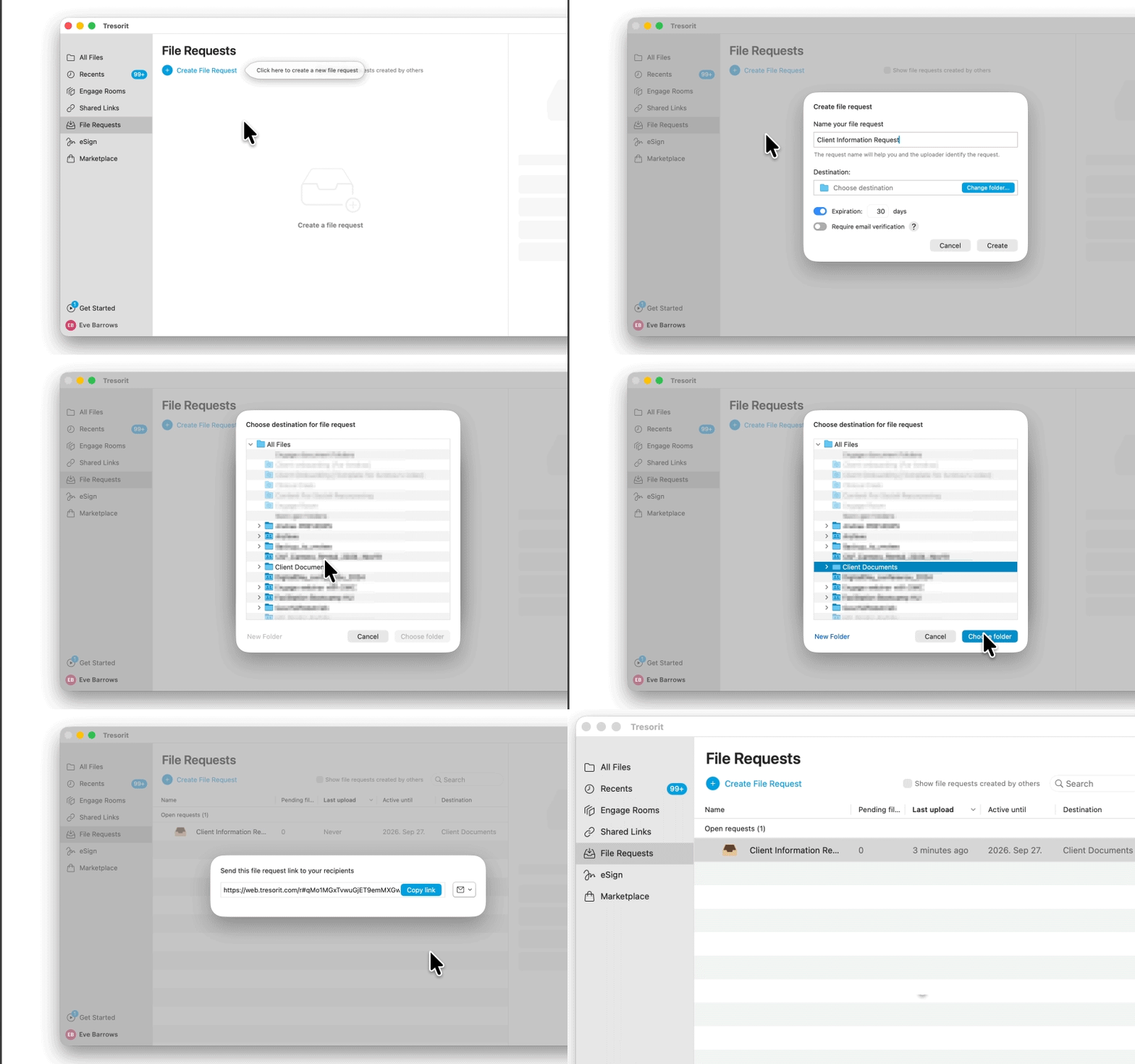
Create a file request for a folder, add a title, and optionally set an expiration date and email verification. Tresorit will generate a secure link – make sure to share it through a secure channel.
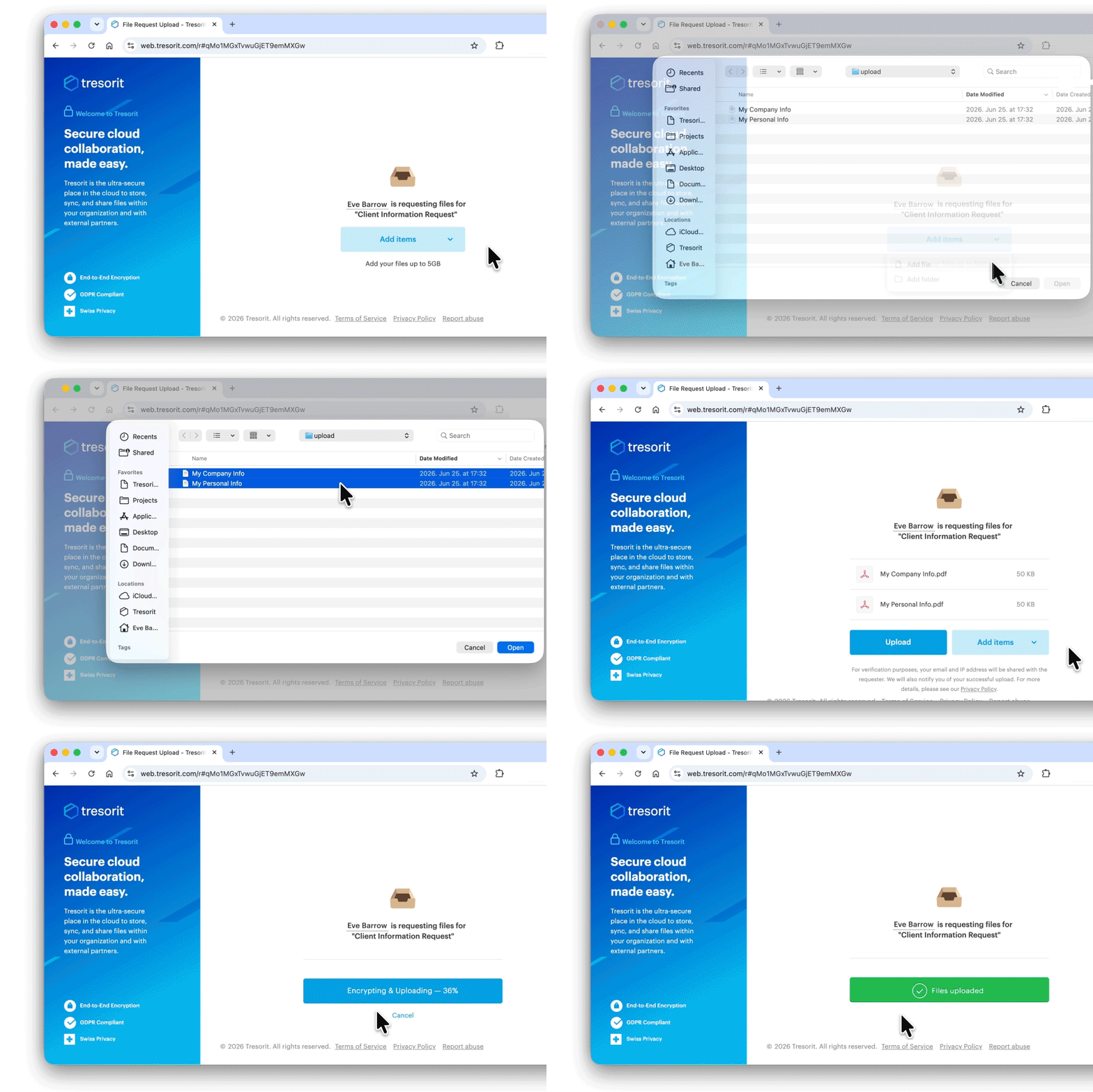
Open the file request link in your browser, upload items up to 5 GB, and enter your email address when prompted.
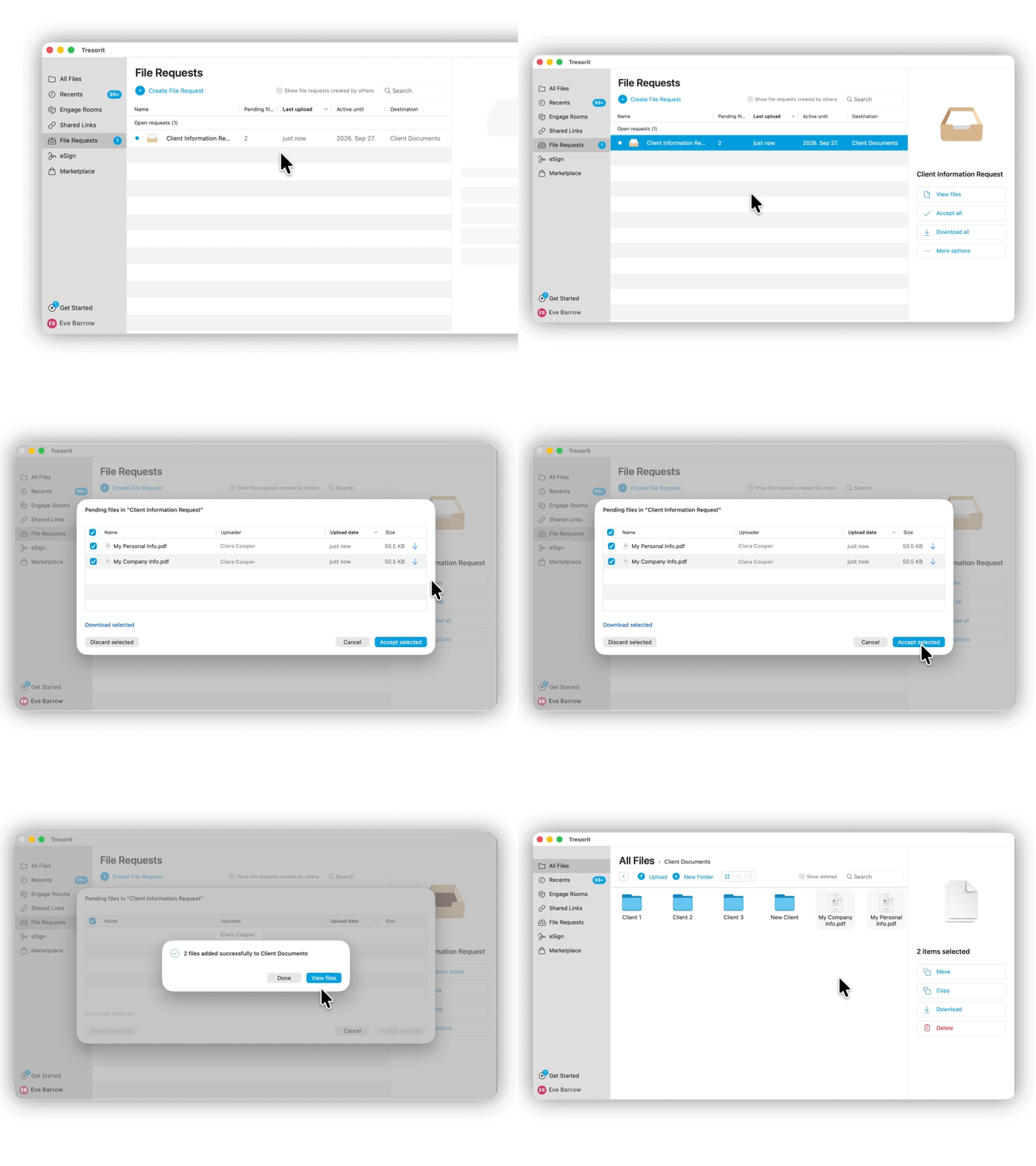
You'll receive an email notification when someone uploads files to your link. You can review the received items in the File Requests tab.