When you first sign in to Tresorit, a main folder with your name is created automatically. You can upload files or subfolders to it, or create additional ones to organize your content.
ℹ️ Every item in Tresorit is protected with end-to-end encryption.
Key terms
- Main folder (or folder): The top-level container for your content, saved in the root directory.
- Subfolder: A folder created inside another one.
- Root directory: The base directory where you can save individual files and main folders.
Create a new folder
New folders are cloud-only by default, but you can set up synchronization, share them via links, or invite collaborators to work together.
- Desktop (Windows, macOS, Linux)
- iOS
- Android
- Web Access
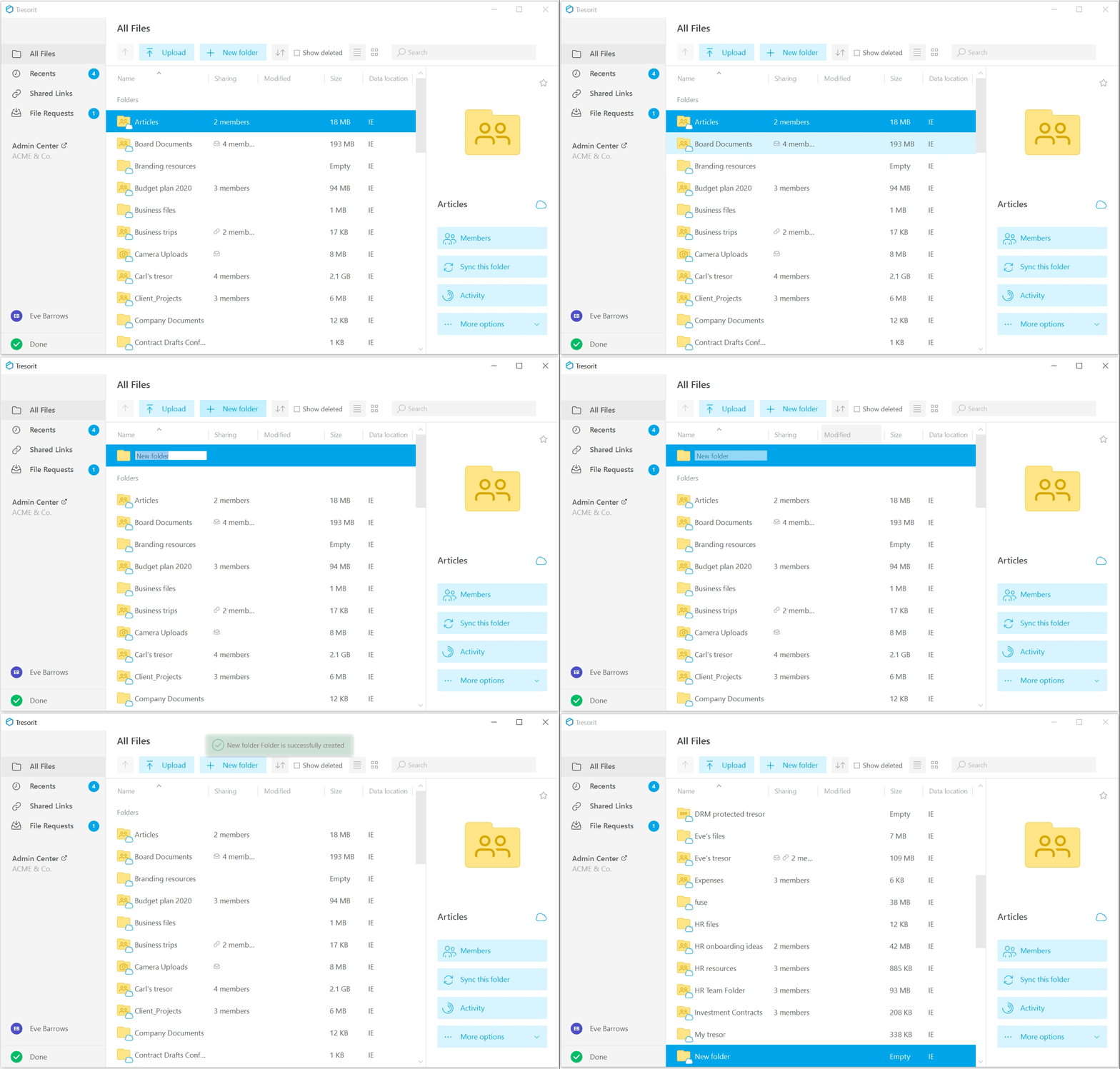
- Open the Tresorit desktop app.
- Click
New folder.
- Type a name for the folder.
- Press Enter to create it.
- Open the Tresorit app.
- Tap the
- Select
Create Folder.
- Type a name for the folder.
- Tap Create.
- Open the Tresorit app.
- Tap the
icon in the bottom right.
- Select
- Type a name for the folder.
- Tap CREATE.
- Open Tresorit Web Access.
- Click New folder.
- Type a name for the folder.
- Press Enter to create it.