Available for ☑️
Plan: Business Pro, Enterprise
Permission: Owner, Manager
Use document analytics to track activity on shared links. See who opened each file, how much of it they viewed, and how long they spent on it.
Enable document analytics
When document analytics is turned on, downloading is disabled. This is by design due to technical and security limitations. If recipients need to download the content, do not use this feature.
- Create a new link.
- Click
Link settings.
- Toggle Detailed access logs.
- Check Log page view data.
Opening the link
-
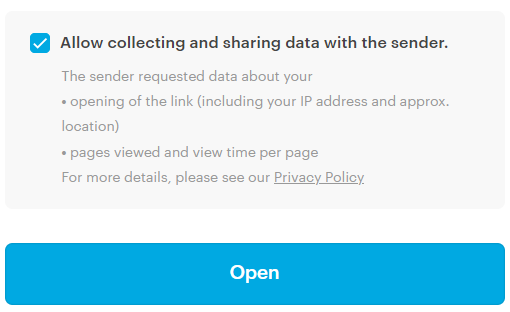
Recipients must consent to data collection to access the link – without consent, they cannot open it.
-
When they open a file, they see a notification that downloading and printing are not available.
ℹ️ When downloading is disabled, only supported file types can be previewed.
View document analytics
ℹ️ Available in desktop apps and Web Access only.
- Go to
Shared Links.
- Right-click the link.
- Select
Access logs.
- View the logs in Tresorit or export them as a .csv file.
- In the app
- In the CSV export
In addition to the default detailed access log entries:
- Click Details to see how much time each recipient spent on each file.
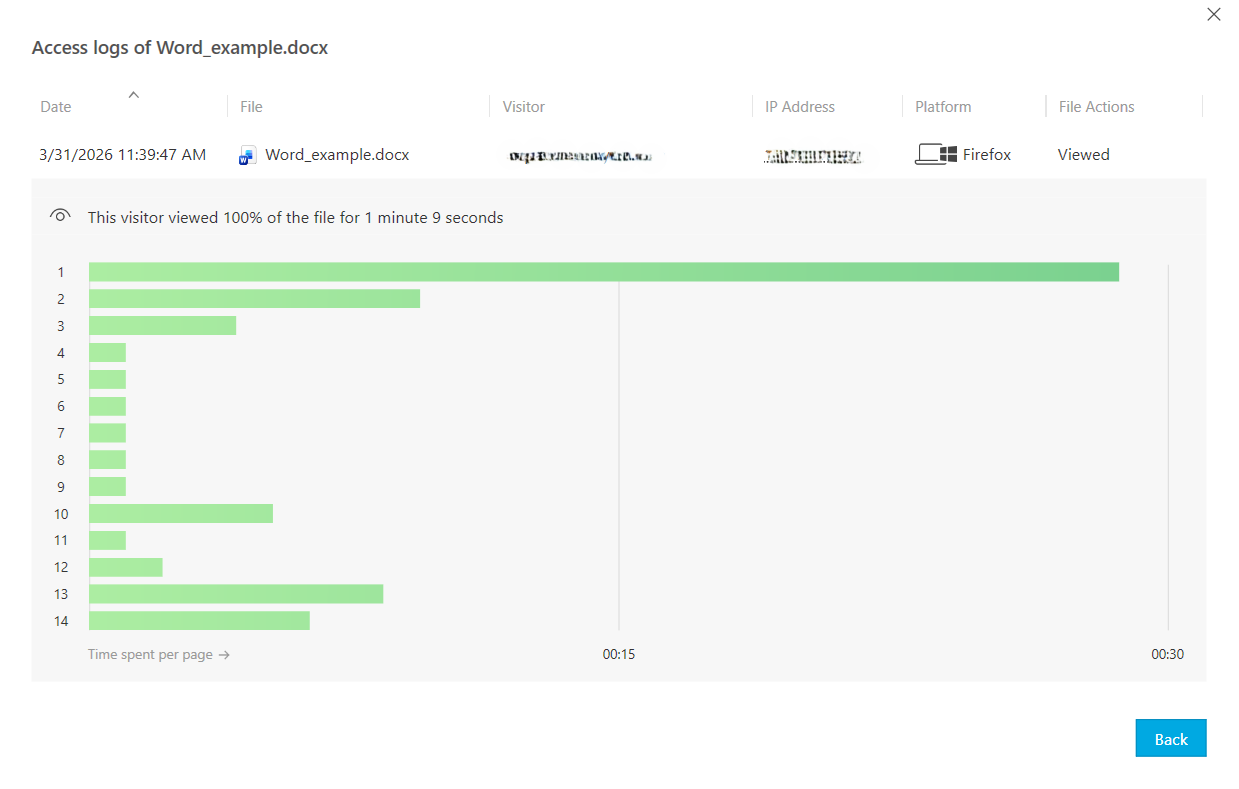
In addition to the default detailed access log entries:
read – Percentage of the file content accessed
timeSpentSeconds – Total duration of file viewing