Available for ☑️
Permission: Owner, Manager, Editor/Contributor
Platform: Web Access (browser)
Document editing allows you to open, edit, and save Microsoft Word (.docx), PowerPoint (.pptx), and Excel (.xlsx) files directly in your browser.
Before you begin
- Supported file formats include .docx, .pptx, and .xlsx. Files are always saved in their original format.
- Editor features include rich editing capabilities, commenting, and redlining.
- Standard formatting is supported. Core layout elements (such as headers and footers) remain preserved, though custom styles or non-standard fonts may revert to defaults or be removed.
- When multiple users edit the same file simultaneously, each user's changes are saved as a separate version to prevent overwriting and loss of edits.
Edit documents
You can edit documents stored in SecureCloud and Engage, or shared via cooperative links.
- SecureCloud
- Engage
- Cooperative links
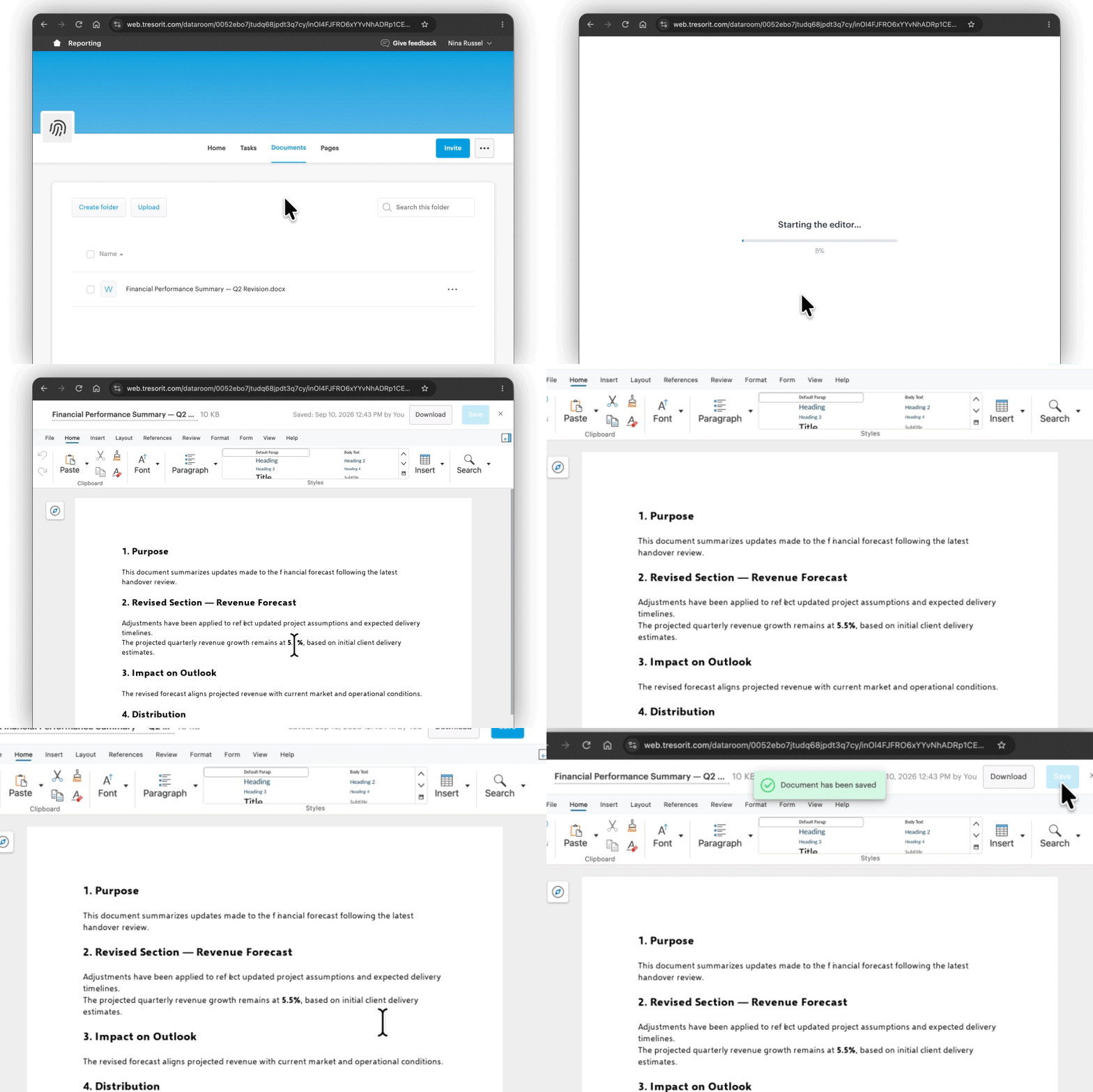
Open and edit Office files directly from your folders in Web Access.
- Click a .docx, .pptx, or .xlsx file to open it.
- Make your changes.
- Click Save (your edits are also saved automatically).
Edit Office files uploaded under Documents or attached to Tasks.
- Click a .docx, .pptx, or .xlsx file to open it.
- Make your changes.
- Click Save (your edits are also saved automatically).
Work on Office files shared via cooperative links.
- Open the link in your browser.
- Click on the .docx, .pptx, or .xlsx file to open it.
- Make your changes.
- Click Save (your edits are also saved automatically).