Available for ☑️
Product: Tresorit Engage
Permission: Owner, Manager, Contributor
DOCX editing allows you to open, edit, and save Microsoft Word (.docx) files directly in Tresorit Engage.
Before you begin
- Only .docx files can be edited, and the files will also be saved in .docx format.
- Editor features: basic text editing, commenting, and redlining.
- Standard formatting is supported. Most document elements remain unchanged (e.g. headers and footers), but some styles (e.g. custom fonts) may revert to a default or be removed.
- When multiple users edit the same file simultaneously, each user's changes are saved as a separate version to prevent overwriting and ensure no edits are lost.
- Autosave isn't available. Save your edits before leaving the page.
Edit documents
You can edit documents uploaded under Documents or attached to Tasks.
- Documents
- Tasks
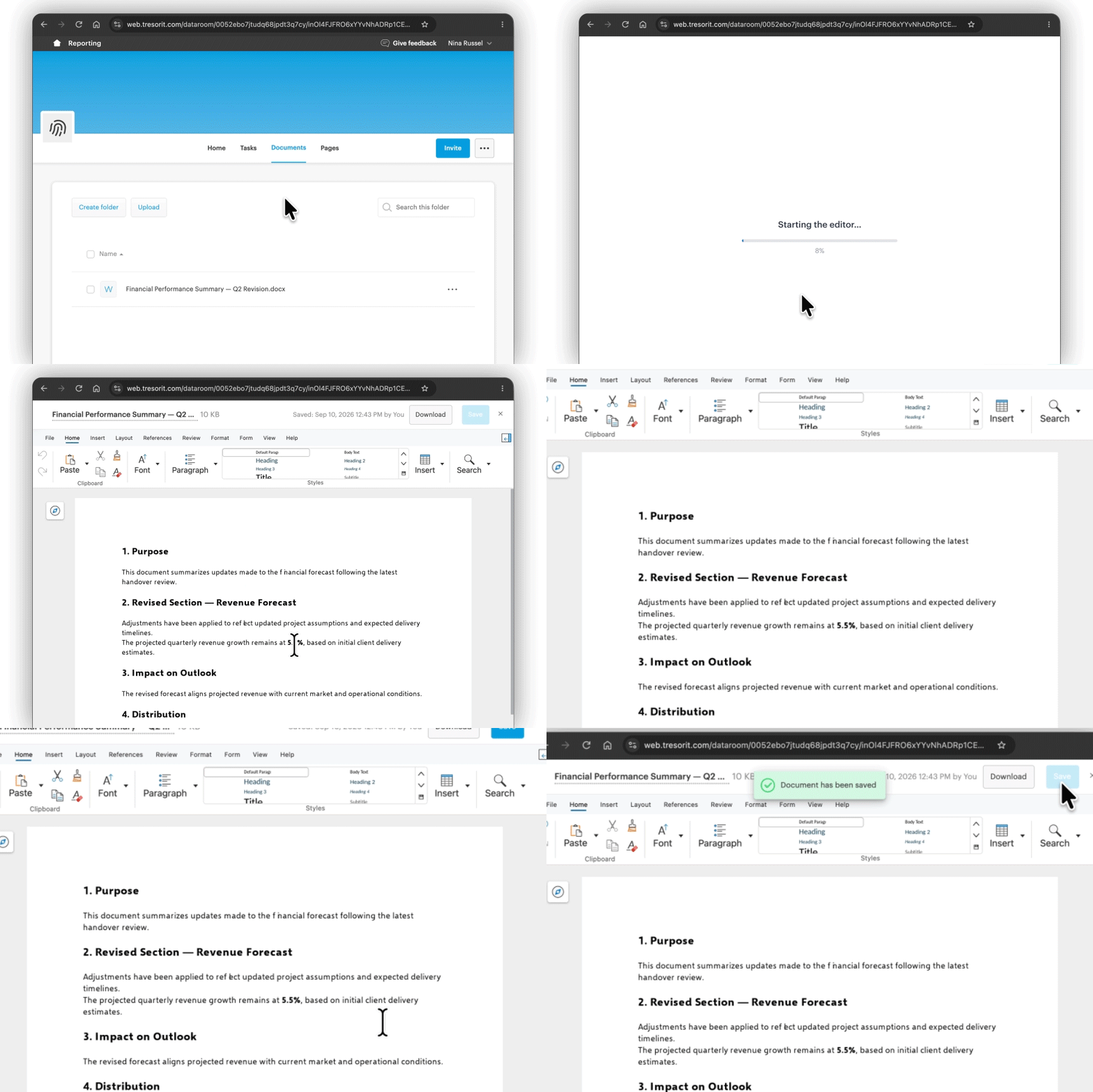
- Click a .docx document to open it.
- Make your changes.
- Click Save.
- Open a task that includes an attached document.
- Click on the .docx document to open it.
- Make your changes.
- Click Save.